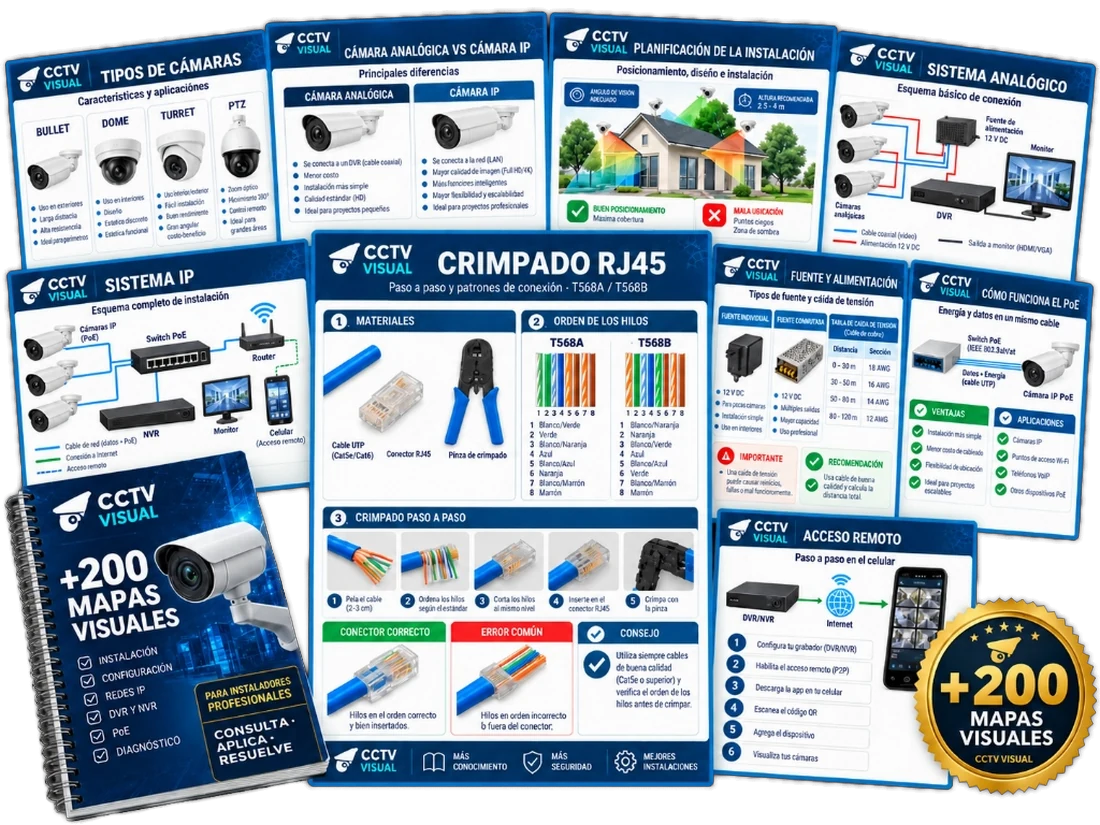
+200 Visual CCTV Cards for Field Installation
designed for quick field reference on the job
Installation, cabling, networking, DVR/NVR, PoE, remote access, and troubleshooting explained in a visual, practical, and structured format.
- 100% Digital Material
- Instant Access
- Study on Any Device
- Secure Checkout
Created for technicians and professionals who want to master CCTV systematically, visually, and without guesswork.
Discover how learning CCTV through visual cards transforms your workflow
Complex technical concepts turned into organized, illustrated cards you can easily consult right in the middle of an installation.
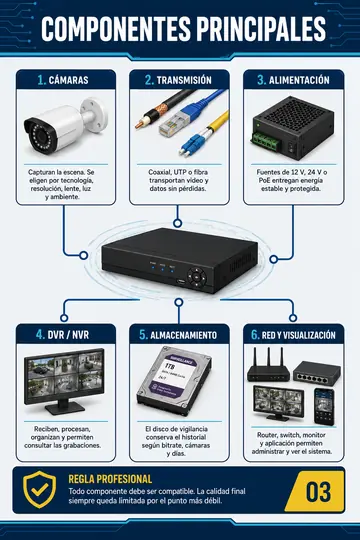

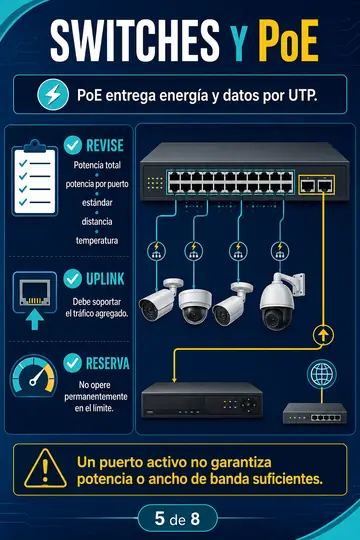
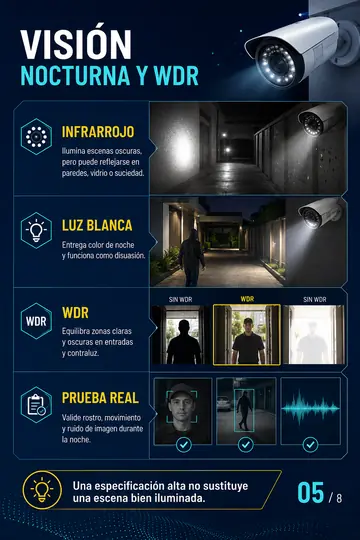
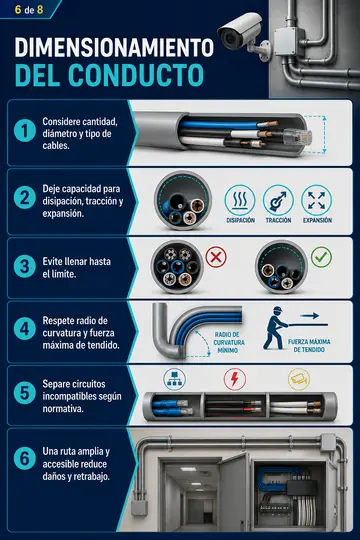
12 CCTV Modules in a Single Visual System
Connect wiring, networking, and configuration without wasting hours reading dense technical manuals.
CCTV Fundamentals
Camera types, Analog vs. IP architectures, and how video surveillance systems operate.
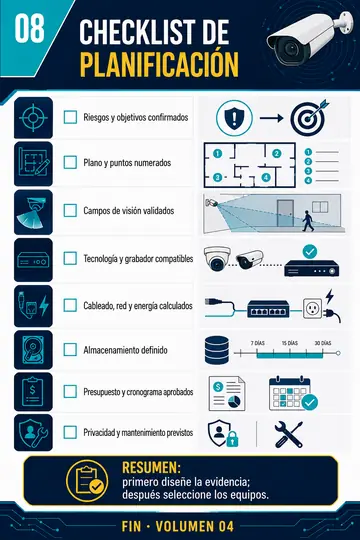
Installation Planning
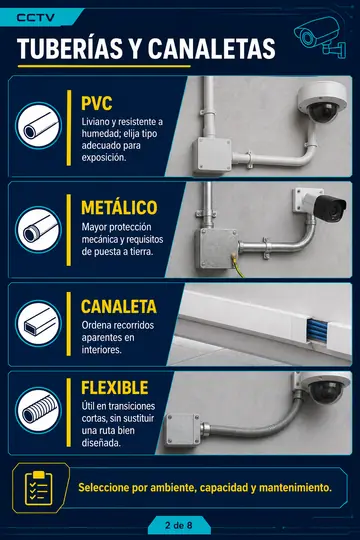
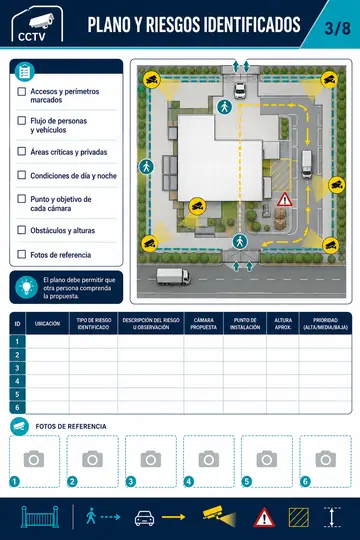
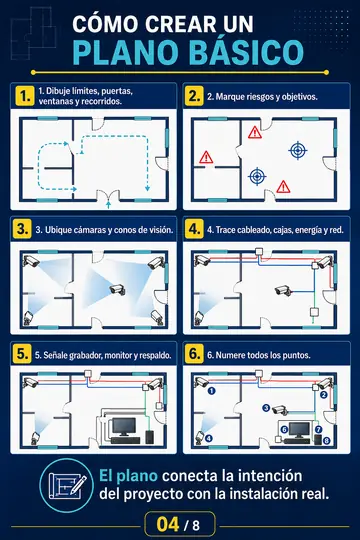
Site surveys, camera positioning, angles of view, and mounting point definitions.
Cabling & Connectors
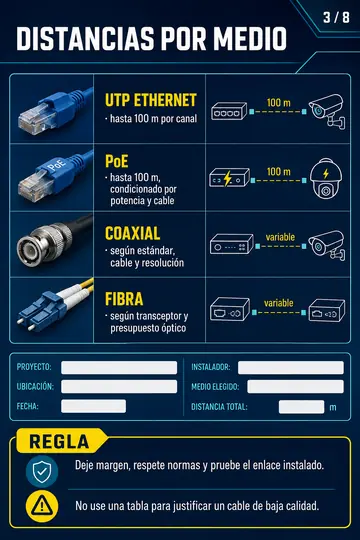
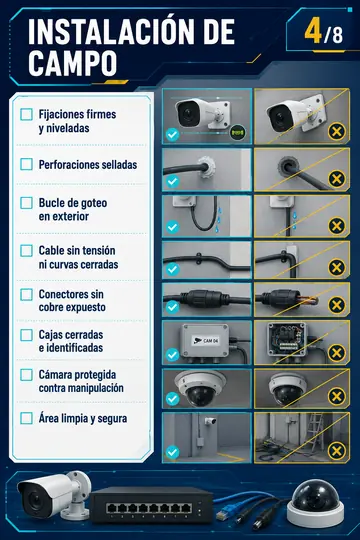
Coaxial, UTP Cat5e/Cat6, RJ45 crimping standards (T568A/B), video baluns, and routing best practices.
Power Supplies & PoE
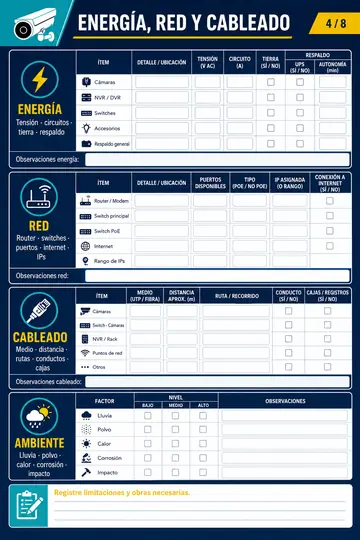
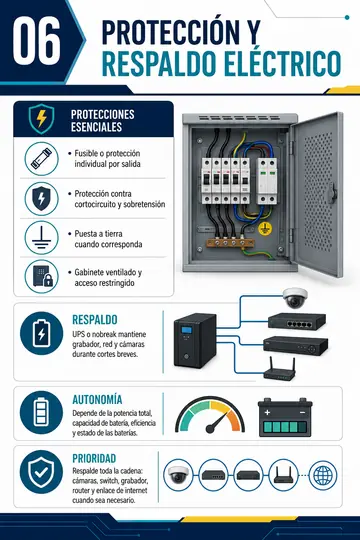
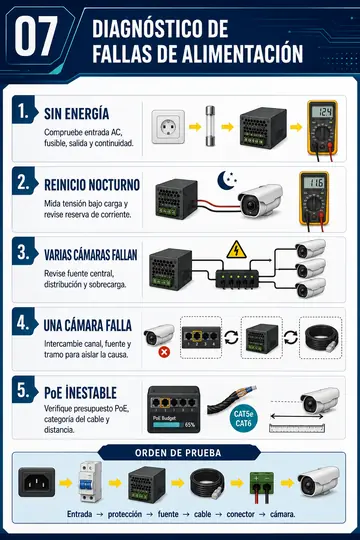
Current draw calculations, voltage drop, switching power supplies, and 802.3af/at PoE standards.
Analog Systems
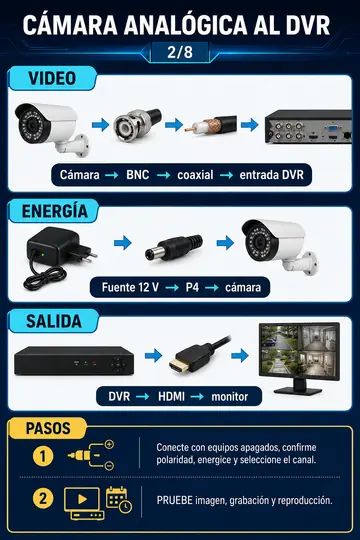
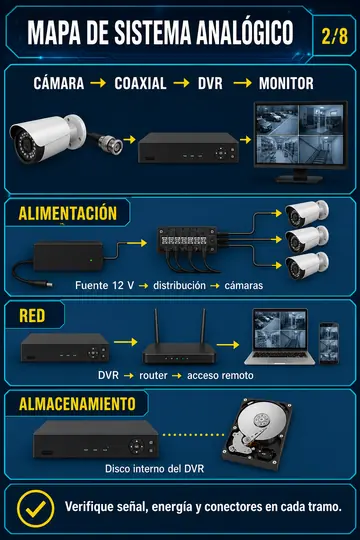
Complete analog architecture with DVRs, BNC connections, and essential video settings.
IP Camera Systems
IP cameras, NVRs, PoE switches, and seamless multi-device network integration.
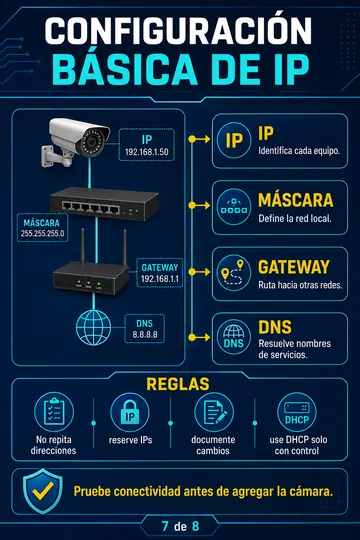
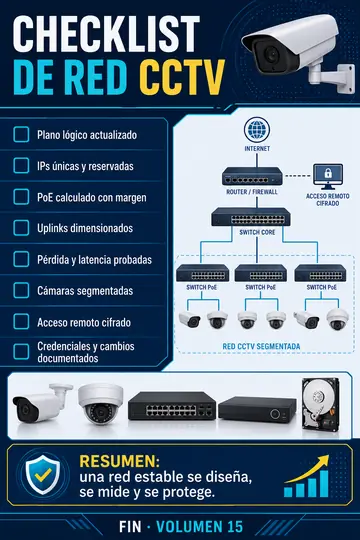
Networking for Installers
Static vs. DHCP IP addressing, subnetting, gateways, DNS, and inter-device communication.
DVR & NVR Configuration
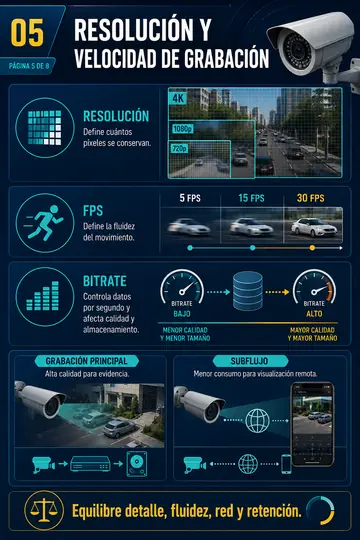
Continuous and motion recording schedules, stream bitrates, encoding, and user permissions.
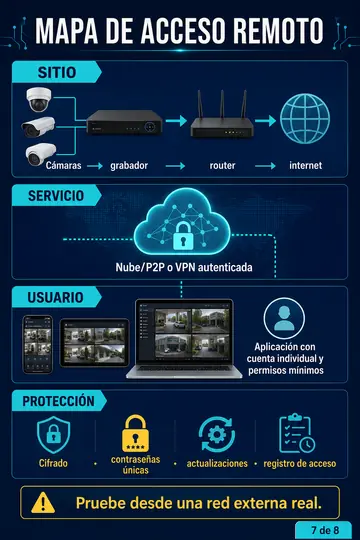
Remote Access & Mobile Apps
P2P cloud setup, mobile viewing apps, QR code configuration, and port forwarding.
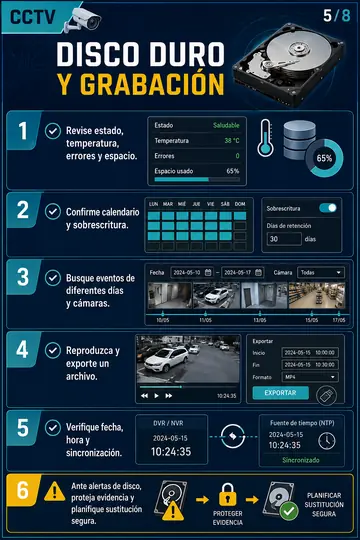
Storage & Hard Drives
Retention calculations (days of recording), surveillance-grade HDD selection, and bitrate tuning.
Smart AI Detection Features
Tripwire / virtual line crossing, perimeter intrusion, smart motion detection, and push alerts.
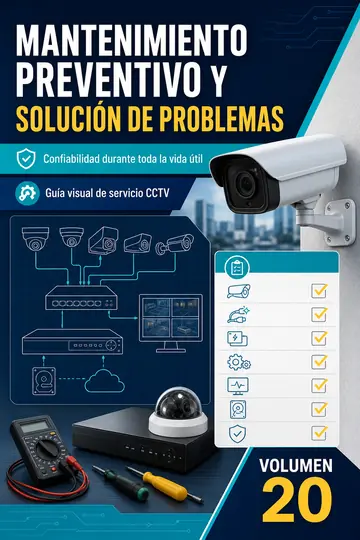
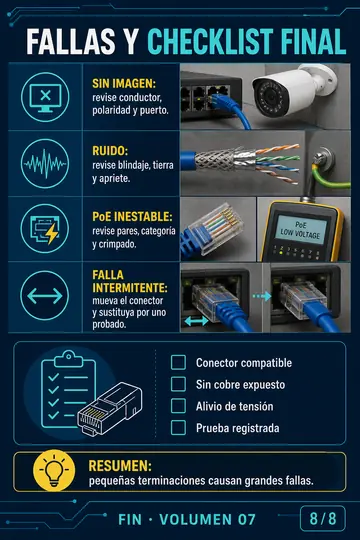
Diagnostics & Troubleshooting
Offline cameras, video loss, PoE overload, IP address conflicts, ground loops, and electrical noise.
Every visual card resolves a specific technical question
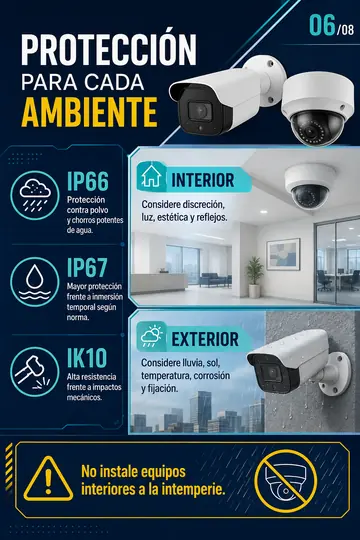
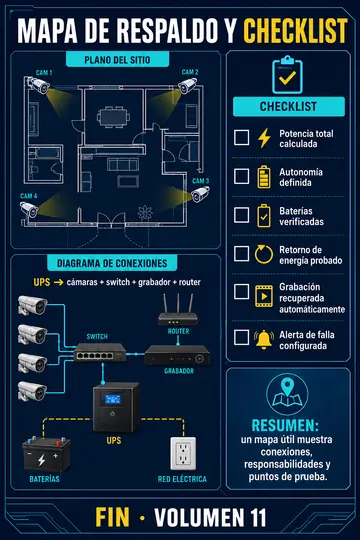
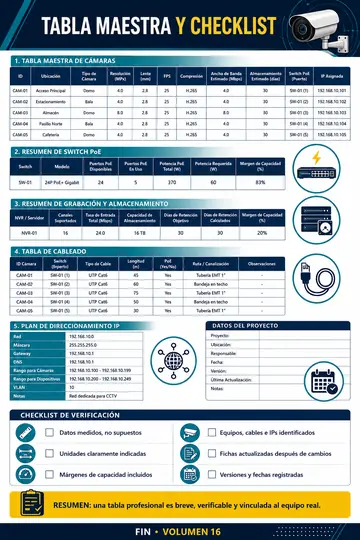
Review what matters without endless paragraphs: one topic, one diagram, one clear answer.
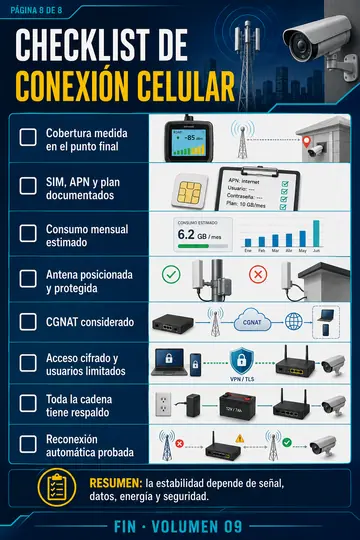
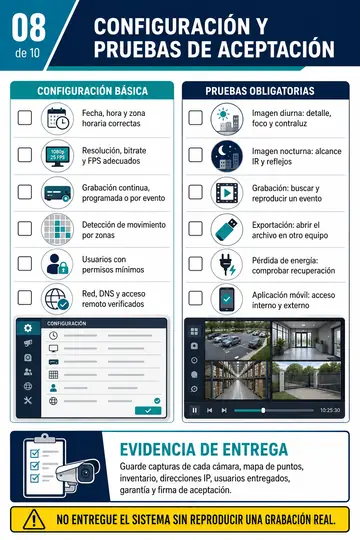
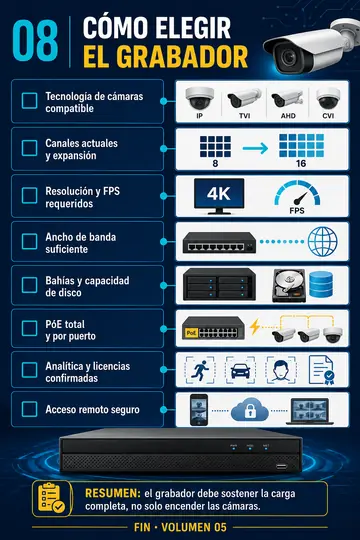
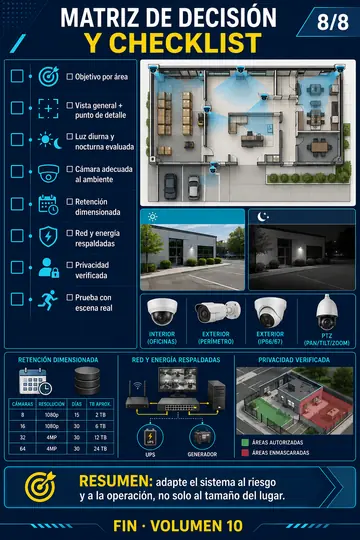
Who is this material designed for?
For anyone who wants to install, configure, and troubleshoot with total confidence using clear diagrams instead of endless text.
- Avoids relying on long, disorganized video tutorials to find a quick fix
- Enables instant on-site lookup right during a field installation
- Organizes technical topics normally scattered across dozens of manufacturer manuals
- Helps beginners starting out in security camera installation
- Serves as an indispensable pocket quick-reference guide for experienced technicians
- Speeds up diagnosis of common system faults and wiring errors
- Provides step-by-step guidance for IP networking and recorder configuration
- Easily accessible on smartphones, tablets, and laptops
Keep a complete visual field library at your fingertips whenever you need it
Installation, configuration, and troubleshooting combined into one practical quick-reference guide.
A complete visual training system for the CCTV professional
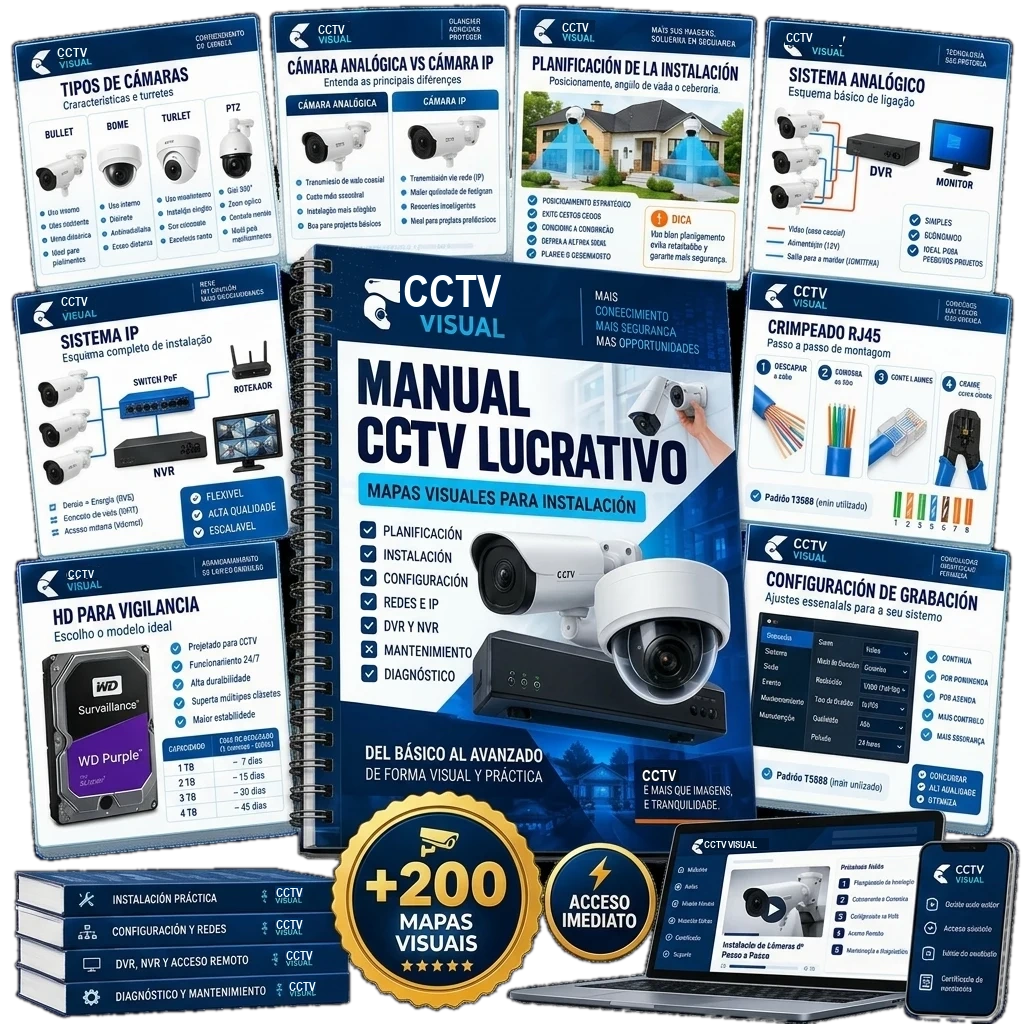
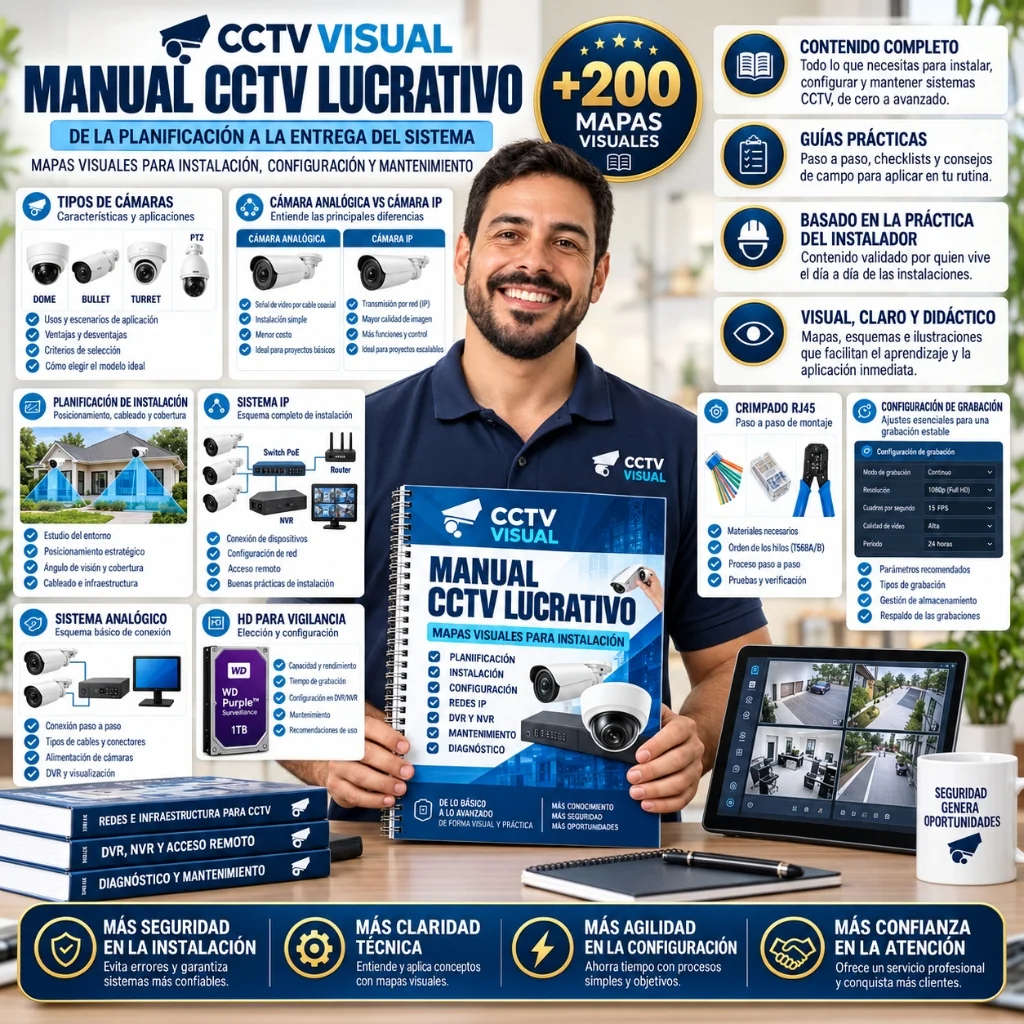
Twelve core modules from fundamentals to advanced fault-finding, all in visual quick-reference cards.
+200 visual cards, 12 essential topics
Quickly look up wiring diagrams and configurations, studying each topic in logical sequence: equipment → physical installation → networking → troubleshooting.
- CCTV Fundamentals
- Installation Planning
- Cabling & Connectors
- Power Supplies & PoE
- Analog Systems
- IP Camera Systems
- Networking for Installers
- DVR & NVR Configuration
- Remote Access & Mobile Apps
- Storage & Hard Drives
- Smart AI Detection Features
- Diagnostics & Troubleshooting
Essential field-work support materials
Five exclusive bonuses that complement the visual field guide library.
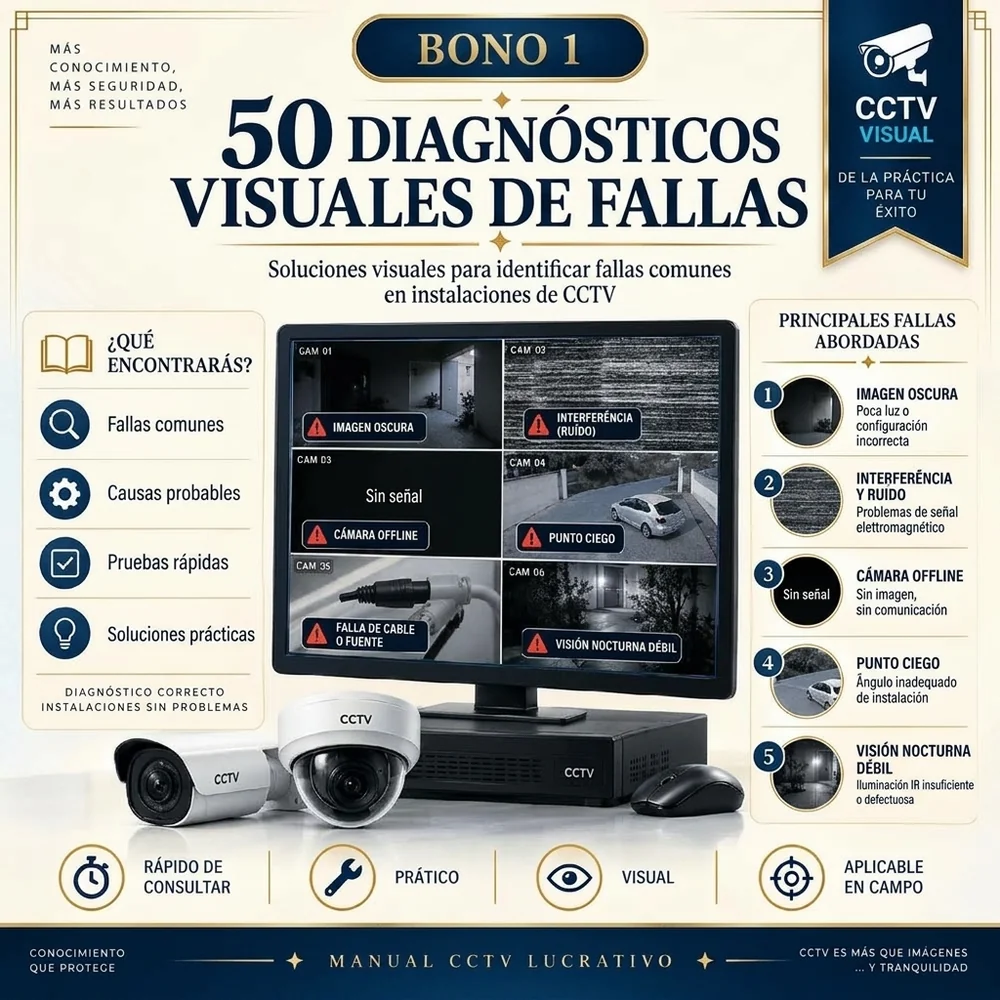
50 Visual Fault Diagnostics
Symptom → probable root causes → step-by-step test sequence → verified solution.
Faster diagnostics on every service call.

Professional Installation Checklists
Checklists for site planning, physical mounting, configuration, and final client sign-off.
Step-by-step verified handover.
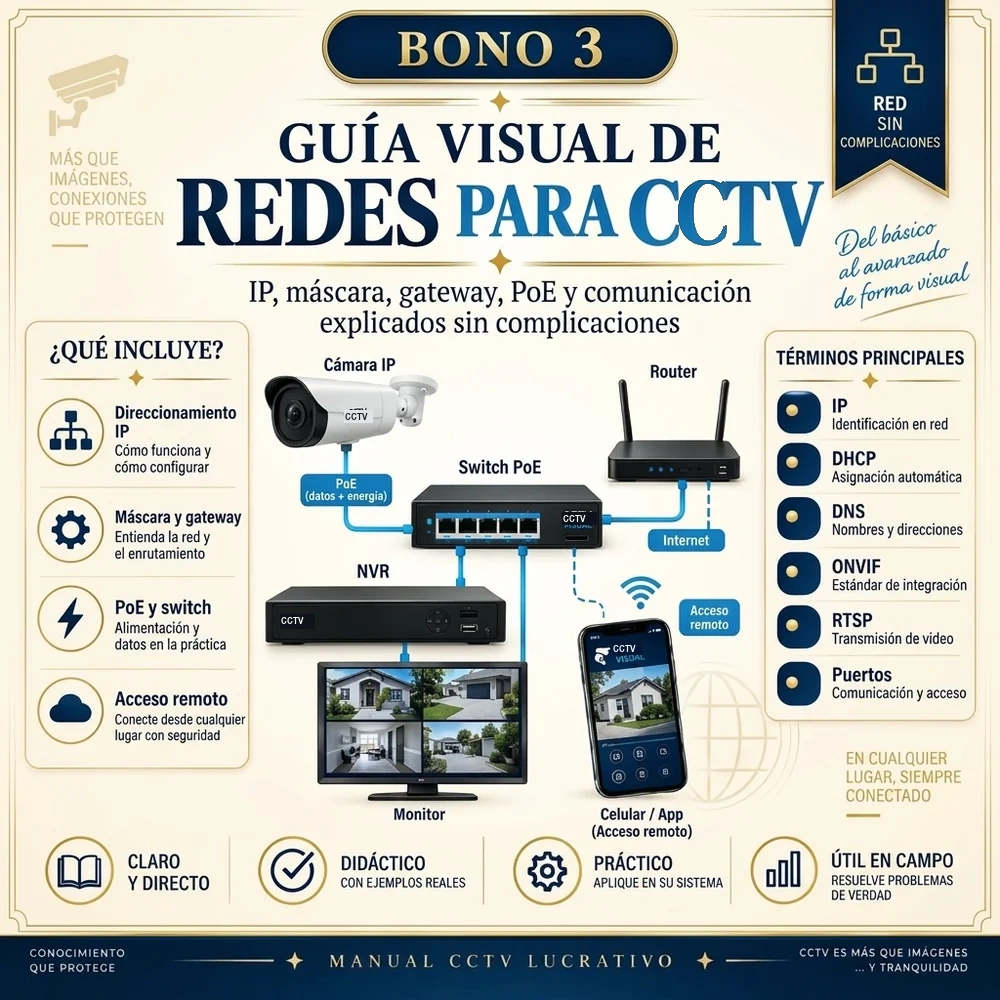
Visual Networking Guide for CCTV
IP, subnet masks, gateways, DHCP, switches, PoE, and routing explained purely visually.
Networking made crystal clear.

Installer's Quick Reference Tables
Fast lookup tables for storage retention, PoE budget, distance limits, wattage, and wiring standards.
Instant on-the-job answers.

Site Survey & Client Quote Templates
Ready-to-use templates for technical site surveys, requirements gathering, and professional quoting.
Elevate your professionalism with clients.
Step-by-step to start right away
Five simple steps to begin using Visual CCTV Cards.
Click the button
Select your preferred access option on this page.
Complete checkout
Choose your payment method and finalize your purchase on a 100% secure checkout.
Instant confirmation
Payment is processed and approved automatically within seconds.
Receive your access
Access links and digital materials are sent immediately to your email address.
Study anywhere
Open the visual cards on your phone, tablet, or laptop whenever you need them.
What installers are saying
Feedback from technicians who already rely on these visual cards every day in the field.
"The troubleshooting flowchart for camera offline issues is brilliant. Resolved a problem on site in under 5 minutes that had me stumped before."
"The PoE power budget and voltage drop diagrams answered all my questions on a 32-camera commercial job. Consulted right from my smartphone."
"I work primarily as an electrician and always struggled with IP configuration. Here, IP, subnet masks, and gateways make sense immediately."
"The storage calculation guide helped me quote the exact right hard drives without overspending or falling short of customer retention specs."
"Just starting out in security cameras, and this library gave me total confidence in a week. Diagrams explain 10x better than rambling video tutorials."
"The client handover checklist elevated my entire business. Delivering a verified checklist makes clients appreciate the professional quality of the job."
"Adding IP cameras to NVRs and configuring multi-stream recording is now fast and routine. An essential reference guide to carry in your pocket."
"The troubleshooting flowchart for camera offline issues is brilliant. Resolved a problem on site in under 5 minutes that had me stumped before."
"The PoE power budget and voltage drop diagrams answered all my questions on a 32-camera commercial job. Consulted right from my smartphone."
"I work primarily as an electrician and always struggled with IP configuration. Here, IP, subnet masks, and gateways make sense immediately."
"The storage calculation guide helped me quote the exact right hard drives without overspending or falling short of customer retention specs."
"Just starting out in security cameras, and this library gave me total confidence in a week. Diagrams explain 10x better than rambling video tutorials."
"The client handover checklist elevated my entire business. Delivering a verified checklist makes clients appreciate the professional quality of the job."
"Adding IP cameras to NVRs and configuring multi-stream recording is now fast and routine. An essential reference guide to carry in your pocket."
Choose your access to Visual CCTV Cards
+200 Visual CCTV Cards for Installation & Troubleshooting.
Visual CCTV Cards Library
- Complete visual system (+300 visual CCTV cards)
- Essential equipment and installation cards
- Core wiring schematics and configuration diagrams
- Digital PDF format
- Instant access immediately upon checkout
- Lifetime access
- Compatible with smartphone, tablet, and PC
- Bonus: 50 Visual Fault Diagnostics
- Bonus: Professional Installation Checklists
- Bonus: Visual Networking Guide for CCTV
- Bonus: Installer's Quick Reference Tables
- Bonus: Site Survey & Client Quote Templates
- One-time payment
- Future edition updates
- Priority customer support
All +300 Visual CCTV Cards + All Bonuses
- +300 visual CCTV cards for field installation
- 12 complete, systematically organized modules
- 5 exclusive bonuses for on-site field work
- 50 Visual Fault Diagnostics
- Professional Installation Checklists
- Visual Networking Guide for CCTV
- Installer's Quick Reference Tables
- Site Survey & Client Quote Templates
- Instant digital access to all materials
- Lifetime access
- Future updates included
- Priority customer support
- One-time payment

7-Day Unconditional Money-Back Guarantee
Access Visual CCTV Cards, review the visual guides, and apply them directly in your field work. If you feel this material doesn't significantly help your installations, request a refund within 7 days for a 100% full refund. No questions asked.
Frequently Asked Questions
Clear answers to the most common questions before securing your access.
It is designed for CCTV installers, electronic security technicians, electricians, IT/network technicians, and anyone looking to learn or reference professional installation procedures.
Yes. The cards start from foundational concepts and build progressively into IP networking, camera configuration, and advanced fault diagnostics.
Absolutely. Even veteran technicians use it as an on-the-spot pocket field reference to look up specific pinouts, PoE budgets, and tricky network configurations during service calls.
Yes. Both analog (HD-TVI, CVI, AHD, CVBS) and modern IP camera systems are thoroughly covered from wiring to configuration.
Yes. IP addressing, subnet masks, default gateways, DHCP, PoE switches, routing, and device communication are clearly explained through visual diagrams.
Yes. Any device capable of opening PDF files—smartphones, tablets, laptops, or desktop computers—can access and display all the cards.
Yes. Dedicated visual cards cover offline cameras, video loss, power issues, IP conflicts, PoE overloads, ground loops, and other common field problems.
Yes. All 5 bonuses described on this page are included immediately when you choose the Complete Access option.
Immediately upon payment confirmation, your login details and download links are delivered straight to the email address you entered at checkout.